
Planning an Overseas Hiking Trip? Don’t Forget Your Phone
An overseas hiking trip takes a little more planning than a weekend walk close to home. There is the route to sort out, the weather to check, accommodation to book and the right clothing to pack. Then come the smaller details that are easy to overlook until they cause a problem.
Your phone is one of them. It can carry maps, weather forecasts, booking details and emergency contacts, but none of that is much use if the battery is flat or there is no way to get online.
A few simple preparations before leaving home can make a hiking holiday abroad much easier.
Sort Out the Practical Details Before Leaving
Phone preparation belongs on the same list as checking travel documents and downloading maps. It is not particularly exciting, but it is much easier to deal with at home than after arriving somewhere unfamiliar.
Start by checking whether the phone supports eSIM technology and find out what mobile options are available at the destination. Roaming can be expensive in some countries, while buying a local SIM after landing is not always convenient, particularly if the journey continues straight to a rural area.
An eSIM can be arranged before departure and activated according to the provider’s instructions. eSIM Plus is one option for travellers who want to arrange mobile data before setting off, without having to find a shop selling physical SIM cards after arrival.
That can be handy on a hiking trip where the first destination is a campsite, small village or trailhead rather than a city centre. Directions can be checked, accommodation contacted and transport information accessed as soon as a suitable network connection is available.
Neither option removes the need for sensible preparation. Remote hills and mountain valleys can have weak or nonexistent coverage, so important information should still be available offline.
Download Maps Before Heading for the Trail
Mobile data is useful, but a hiking route should never depend entirely on a live internet connection.
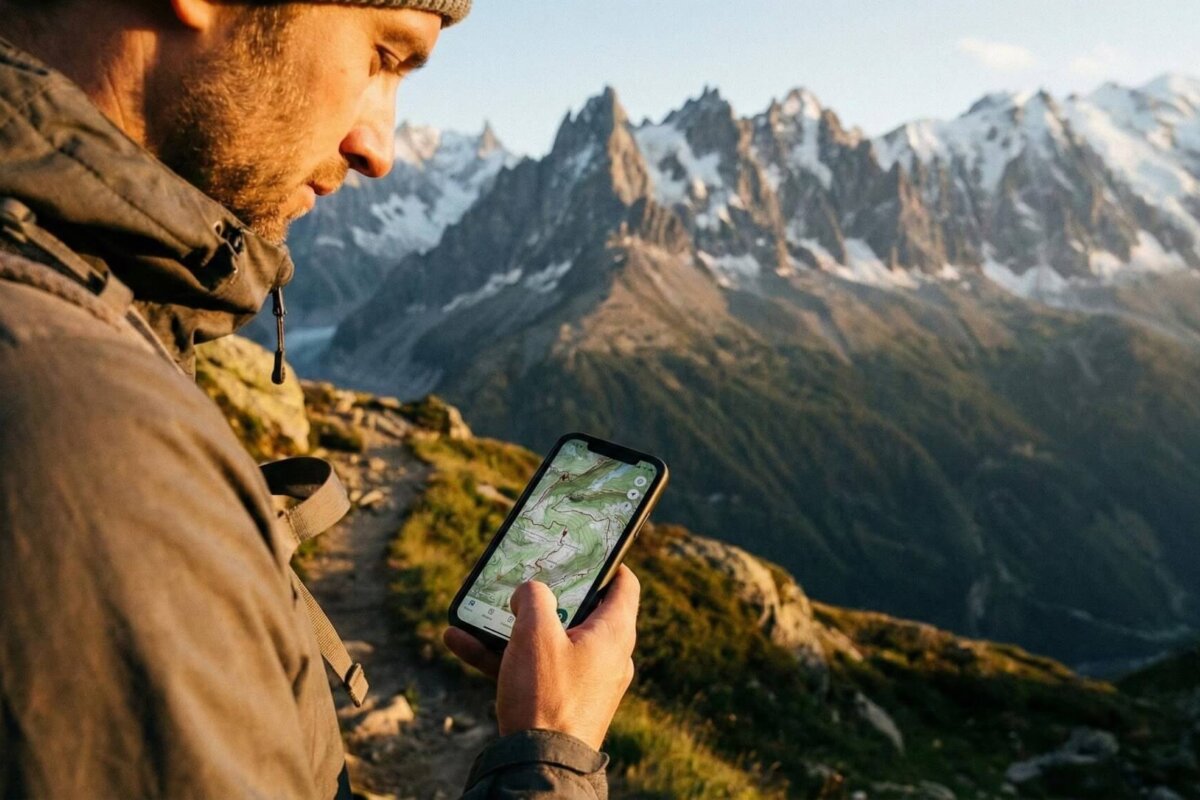
Download maps for the walking area while there is reliable Wi-Fi. Many mapping apps allow sections of a map to be saved for offline use, meaning the route can still be checked if the signal disappears halfway through a walk.
The same principle applies to other information needed during the trip. Save the address of the accommodation, transport details and important contact numbers to the phone. Screenshots of tickets, booking confirmations and directions are also worth keeping.
A paper map remains useful too, particularly for longer or more remote walks. Phones can run out of battery, become damaged or lose reception. A map does not suddenly stop working because a signal has disappeared.
Check the Weather Before Setting Off
Weather can change quickly in the countryside, especially in exposed or mountainous areas. A forecast checked several days before the holiday may be very different from the conditions on the morning of the walk.
Check the local forecast shortly before leaving and look at conditions along the route rather than relying only on the weather in the nearest town. Wind, rain, temperature and visibility can all affect how difficult a walk feels.
A phone makes checking the forecast straightforward when there is a connection. If poor reception is expected later, check the latest forecast before leaving the campsite or accommodation and save the relevant information.
Protect the Battery
A phone battery can disappear surprisingly quickly during a day outdoors.
GPS, navigation apps, photographs, video, mobile data and frequent screen use all consume power. A phone that started the morning fully charged can be running low by the afternoon.
Charge it before leaving and consider carrying a power bank, especially for longer walks. Keep both devices somewhere dry and protected from the weather.
Downloading maps and travel information in advance also reduces the need to keep using mobile data. Turn off features that are not needed and avoid repeatedly checking the screen simply out of habit.
Keep Emergency Information Close at Hand
Emergency contacts are another detail worth preparing before a hiking holiday.
Save the local emergency number, accommodation details and contact information for travelling companions. If the route is in a national park or another managed area, save the relevant visitor centre or park information number as well.
For a longer or more remote walk, tell someone where the route is going and when you expect to return. That information can be particularly useful if plans change during the day.
Do not assume that an emergency call will always work. Mobile coverage varies considerably, and remote countryside can have dead spots even when a phone normally works perfectly in towns.
Use the Phone for the Less Interesting Parts of Travel
Travel days often involve a collection of small jobs. There might be a bus station to find, a train platform to check, a hotel to contact or a route to work out between a village and the start of a walk.
Mobile data makes these tasks considerably easier.
A virtual number can also be useful when a trip involves several bookings or local services. A campsite, guide, transport company or accommodation provider may need a contact number, and using a separate travel number avoids having to give out the usual personal number every time.
Don’t Let the Phone Become the Main Part of the Hike
A good connection can make it tempting to use a phone for everything. Maps, photographs, messages, weather forecasts and social media can quickly turn into constant screen time.
Use the phone when it has a useful job to do, then put it away. Take photographs, check the route, look at the weather and keep enough battery for the trip back.
Pay attention to trail signs and the surrounding landscape too. Knowing where the route is going without constantly watching a screen is still an important outdoor skill.
Have a Backup for When Things Go Wrong
A bus can be late. A trail can close because of bad weather. A wrong turn can add an hour to the walk. A campsite can have poor reception. A phone can get wet or run out of power.
Keep important information available offline and carry a power bank. For suitable routes, take a paper map and know how to use it. Leave enough time in the day to deal with delays rather than planning every part of the walk down to the minute.
Most importantly, mobile data should never be treated as guaranteed communication. An eSIM can provide access to a mobile network where coverage is available, but it cannot create a signal in an area where there is none.
A Little Preparation Goes a Long Way
Getting a phone ready is not the most exciting part of planning a hiking holiday. Choosing the route, researching viewpoints and working out what to pack are much more appealing.
Still, downloading maps, checking the weather, arranging mobile data, saving important numbers and charging a power bank take only a few minutes.
A phone has a useful place in a hiking kit, particularly on an overseas trip. It can provide maps, forecasts, directions and a way to contact people when a network is available. But it works best alongside basic navigation skills, sensible planning and the right equipment for the walk.
That combination leaves the phone where it belongs: as a useful backup and practical travel kit, rather than something the whole hike depends on.


No Comments Yet!
You can be first to comment this post!